
Picture this: you are scrolling through your social media with your morning coffee, see a news article that sounds interesting and click/tap on it. You are partway through enjoying the first paragraph when… Wait! Subscribe now to see the rest of the article! Then and only then you look up to realize you are on a news site that requires a paid subscription, such as the New York Times, and you disappointingly close the article and do it all over again within the next hour. If you’re like me and can’t or don’t want to go through the hassle of signing up for every news site in existence just to be able to read credible news, what if I told you there was a better way?
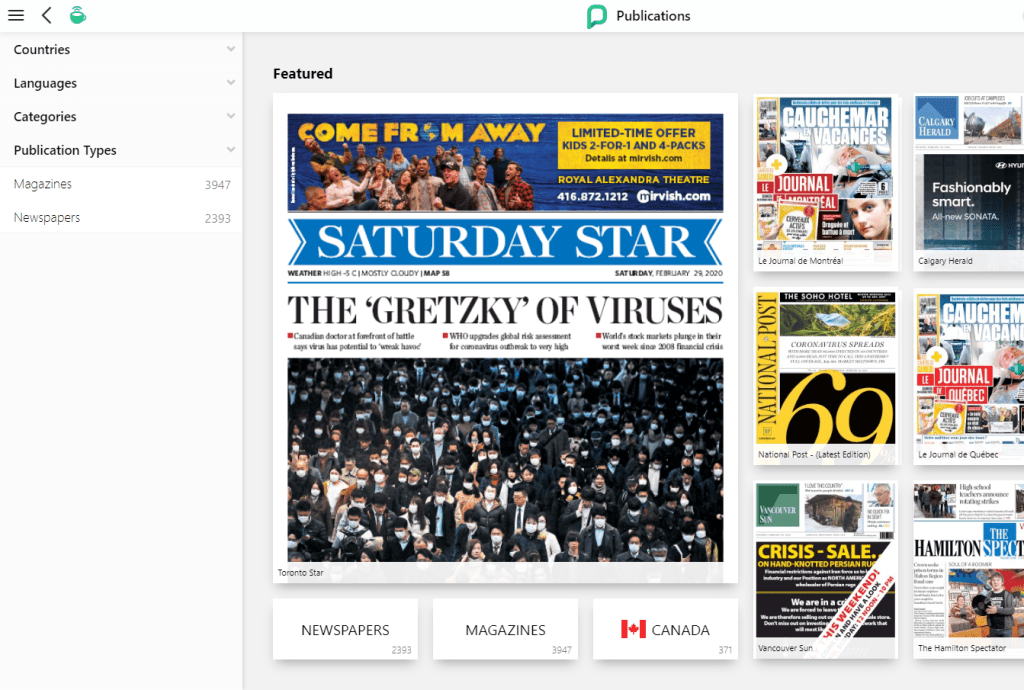
Since we are all York University students, we have access to a great tool called Pressreader. Pressreader allows you to read from over 5000 different magazines and newspapers in MANY different countries and languages (not only Canada!) — think of it as Spotify but for written media instead of music. While the app usually comes at a monthy cost, York students get it for free! After some fiddling around, I managed to get it to work both on my phone and computer, so if you like free media, read on…
Pressreader on the Computer
To use Pressreader on your computer or laptop:
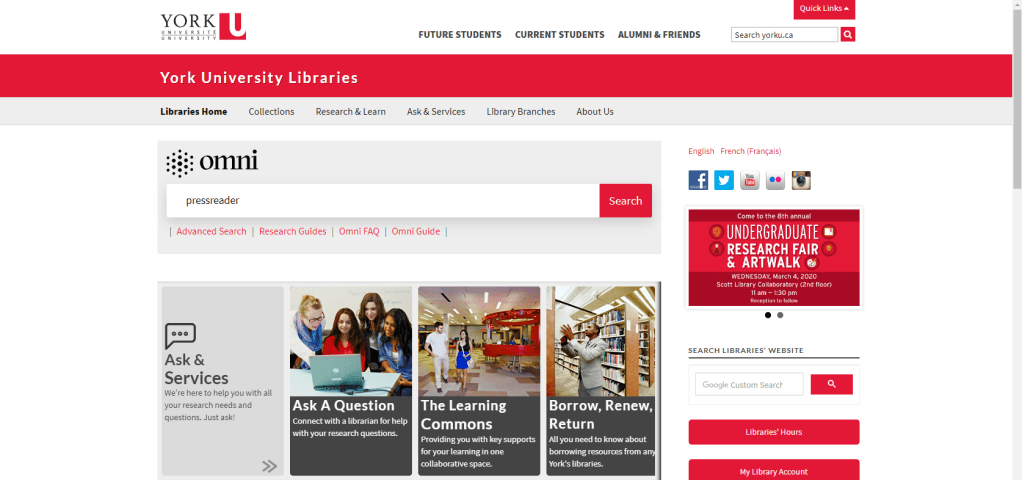
1: Go to the York University Library Website, search for “Pressreader”
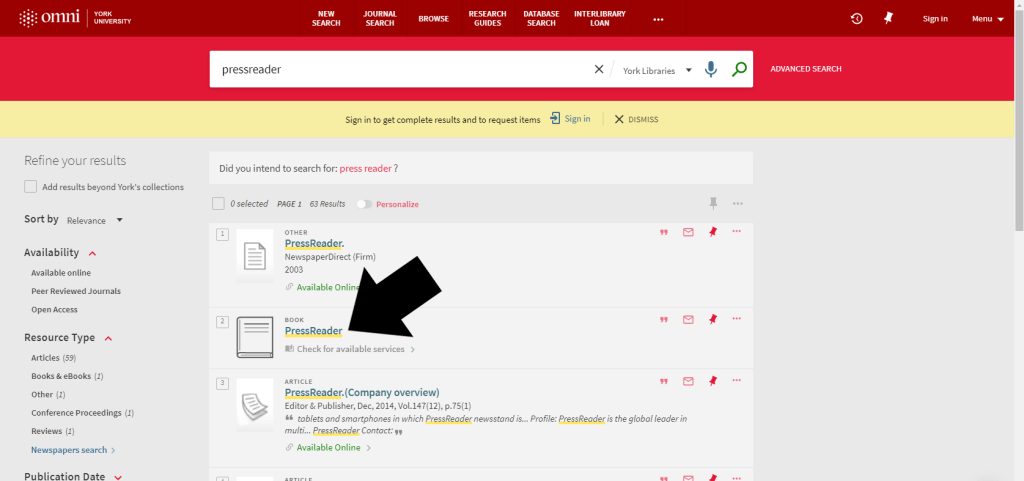
2: Click on the “book” result named Pressreader
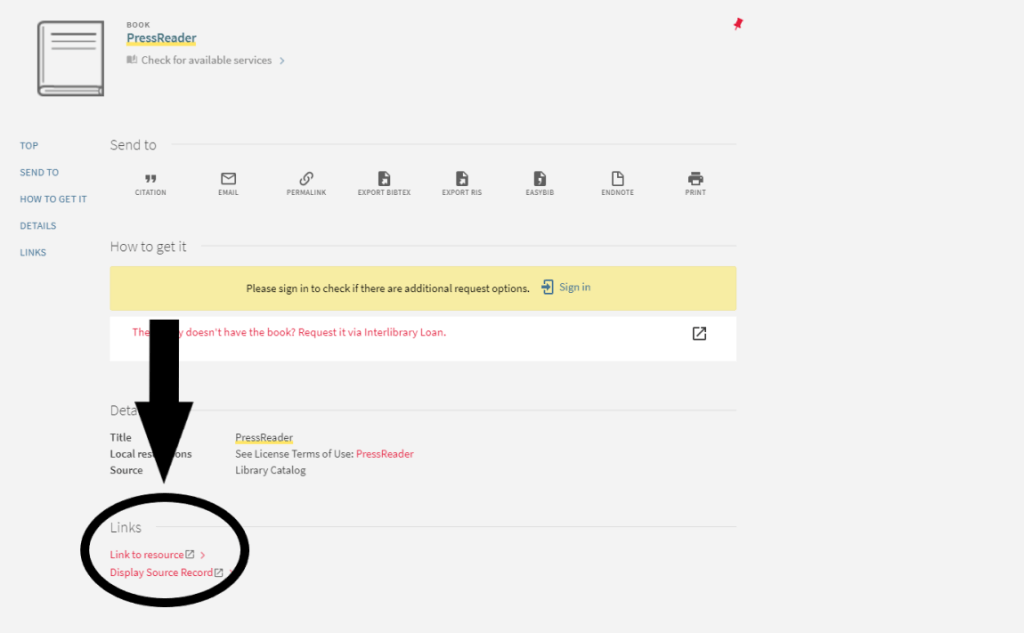
3: On the info page, scroll down to the bottom and click “Link to resource”
4: Log in to your York University account and enjoy!
Pressreader on Mobile
Using Pressreader on mobile phones is even easier!
1: Download the “Pressreader” App
2: Open up the app and create an account using your York University email (you can also use the number found on your public library card if you have one).
3: Enjoy Unlimited Access!
Pressreader Hotspots
Too lazy to do the already minimal work to sign up? Don’t fret! Pressreader also has locations called “Pressreader Hotspots” these are usually public institutions such as universities, colleges, and libraries. When connected to the mobile network in these areas, you can skip the authentication process and read Pressreader for free without signing up, which means you can read your heart out while at school!
Pressreader is a great app to use, as not only does it put all your favourite newspapers in one convenient place, but you can also download whole magazines or newspapers for later when you’re on the train or bus. The app also you to log onto multiple devices at once (I totally didn’t install it on my parents ipad so they can read their favourites) and the best part is the York University accounts last for 5 years after they have been created, so you can read all you want until 2025!
 Applied Plant Ecology Winter 2020